Prerequisites
Licensing
- Microsoft 365 E5
- Microsoft 365 A5 (EDU)
- Microsoft 365 E5 compliance
- Microsoft 365 A5 compliance
- Microsoft 365 E5 information protection and governance
- Microsoft 365 A5 information protection and governance
Hardware/software
- Your devices must be running Windows 10 x64 build 1809 or later.
- The device must have Antimalware Client Version is 4.18.2101.9 or later
Two new features
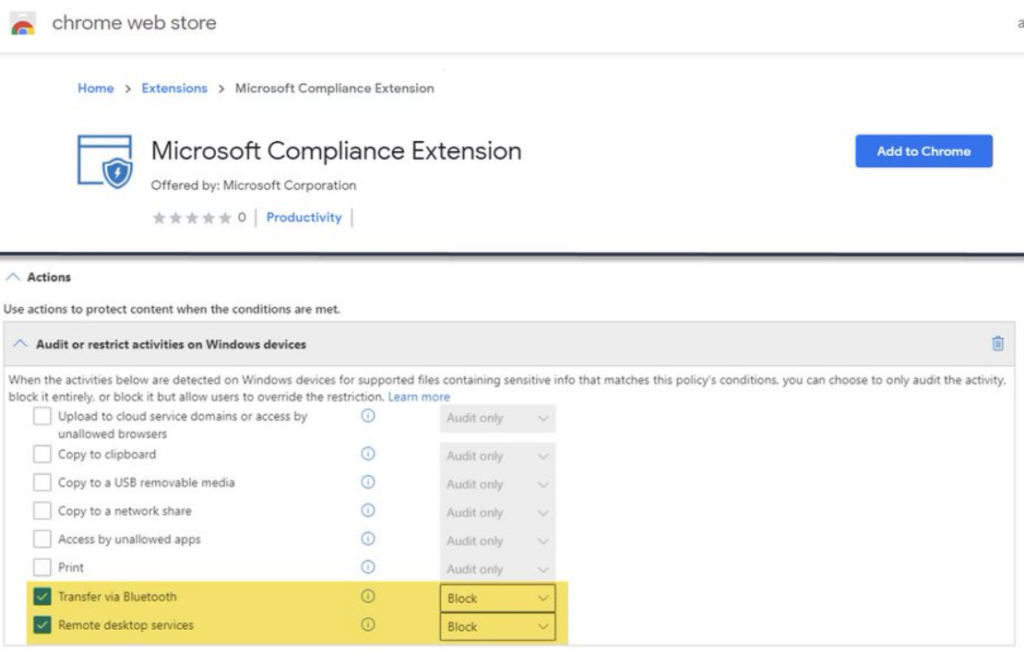
Endpoint DLP support for Google Chrome
Prerequisite :
Run the following PowerShell as an administrator
Get-Item -path "HKLM:\SOFTWARE\Microsoft\Windows Defender\Miscellaneous Configuration" | New-ItemProperty -Name DlpDisableBrowserCache -Value 0 -ForceIntegration
Install the Chrome extension : https://chrome.google.com/webstore/detail/microsoft-compliance-exte/echcggldkblhodogklpincgchnpgcdco
Go further
You can configure it through MEM or GPO. See https://docs.microsoft.com/en-us/microsoft-365/compliance/dlp-chrome-get-started?view=o365-worldwide
Endpoint DLP support to audit and enforce egress activities to Bluetooth and RDP session:
Read more about it at: Learn about Microsoft 365 Endpoint data loss prevention – Microsoft 365 Compliance | Microsoft Docs